
Leave It Behind You
 It’s time to forget agonizing, sheer mind-boggling, soul-crushing monotony of countless hours spent checking, approving or discarding hundreds upon thousands of RAW shots.

It’s time to forget the horror you surely feel when you are getting ready to start sorting and categorizing a 20-gig folder of mish-mash photographs: some taken yesterday, others maybe from 2001.
It’s time to forget the fear that you might miss the best shot of some event because you don’t have hours to even glance at every one of them, or that you won’t be the first to submit the photo of some event because you spent too much time trying to find the best one out of hundreds.
It’s time to forget the frustration you feel when, after a whole day of event-shooting you have to spend a whole night rendering hundreds of JPEGs so that you can go through them with your client tomorrow morning.
It’s time to forget about constantly upgrading hard drives, buying DVDs, and flash drives to store an ever-growing mountain of RAW images.
It’s Time to Look Forward
 Imagine taking hundreds of shots, be it at breathtaking location like Old Faithful or Paris, wedding or school prom, baseball match or photo reportage from some hot spot, your vacation with family or your daughter’s dancing show or your son’s soccer game. Next, imagine using the card right out of your camera, right at the scene of the shot, instantly browsing through all of the photos you have taken over the course of the entire day in just a few minutes! Imagine not having to go for coffee and a newspaper, sometimes together with your customer, while you wait for an unbearable and ridiculous amount of time to finally load RAW images and then waiting 10+ seconds to render them one by one.
In fact, we have a challenge for you. Take a can of your favorite beer (soda works too), and set it on the spacebar (using the proper precautions of course, we don’t want to spill), and gaze at the veritable movie of images flowing on your screen. Now, if you have time to grab the drink to stop the sequence at the photograph that caught your eye, you are much faster than we are.
Fast Raw Viewer is the only solution for those who: 
- Shoot in RAW and are tired of wasting hours or days on looking and sorting through piles of shots
- Tired of rendering piles of JPEGs so that you can quickly browse through them with a client, CMO, senior designer, editor in chief, or even your friends and family members.
- Are in constant need of very quick viewing, visually and technically analyzing, sorting through hundreds or thousands of RAW shots, and choosing them for further processing
- Want to shoot in RAW, but don’t, fearing that they’re going to get mired in sorting RAW files
- Are forced to use JPEG format, because your previous experiences tell you that it is impossible to quickly select and show your client the images taken in RAW
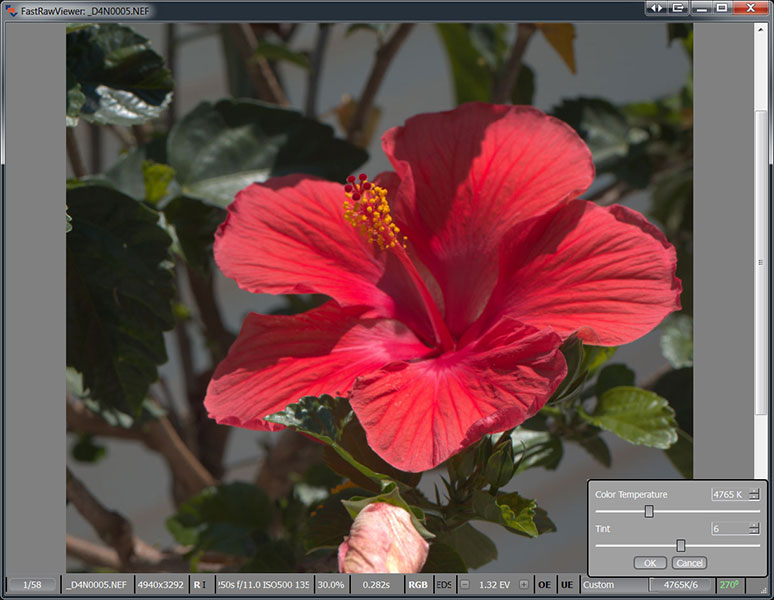
- Are in need of tools to instantly adjust white balance and exposure (brightness) right while browsing through the shot
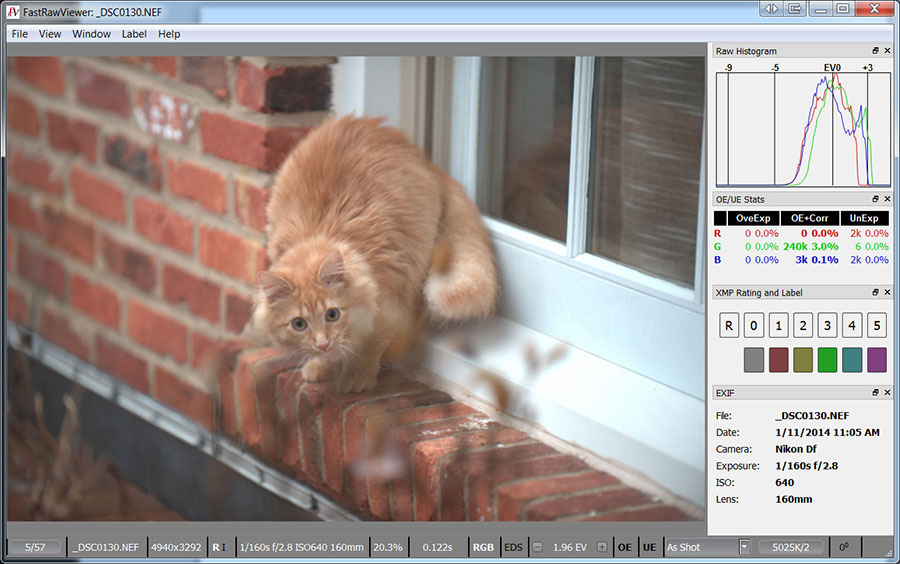
Fast Raw Viewer is the first and the only dedicated tool targeted for extremely fast display, visual and technical analysis, basic corrections, sorting and setting aside or directly transferring for further processing of RAW images.
Fast Raw Viewer – it is
- Display of the actual RAW as well as the actual RAW histogram
- For the first time, a comfortable rate of RAW-file viewing (together with histograms), provided by FRV’s using the power of modern processors and video cards to process RAW images,
- 6-8 frames per second on a modern notebook or desktop computer for files from modern photo cameras (16-36 Mpix, testing was conducted on a mix of shots from recent cameras)
- 24-30 frames per second for CinemaDNG 2.5k on the same equipment (we used Blackmagic Pocket Cinema files for testing)
- Support of almost every single existing RAW format (that is, almost every known digital camera)[1], including native out-of-camera DNG files as well as the files converted to DNG.
- Supports the display of JPEGs (including JPEG thumbnails which are built into RAW) – and also displays the histogram for JPEGs.
- The convenience of working with the shots taken in the RAW + JPEG mode, with two files being paired:
- While listing through files, you have the option to ignore the second file in the pair
- JPEGs (including embedded thumbnails) are considered to be “additional images” and are immediately accessible for viewing
- When you move a RAW file to another folder, its JPEG doppelgänger is moved there as well (or vice versa)
- And, of course, you can always switch this mode off, if you so choose, and treat the files as separate.
- Reading files directly from any memory card or other file storage, without creating catalogues, libraries, and temporary databases.
- The possibility of doing a quick visual and technical analysis by:

- Examining the real RAW histogram
- Assessing the exposure based on:
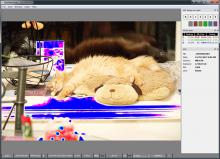
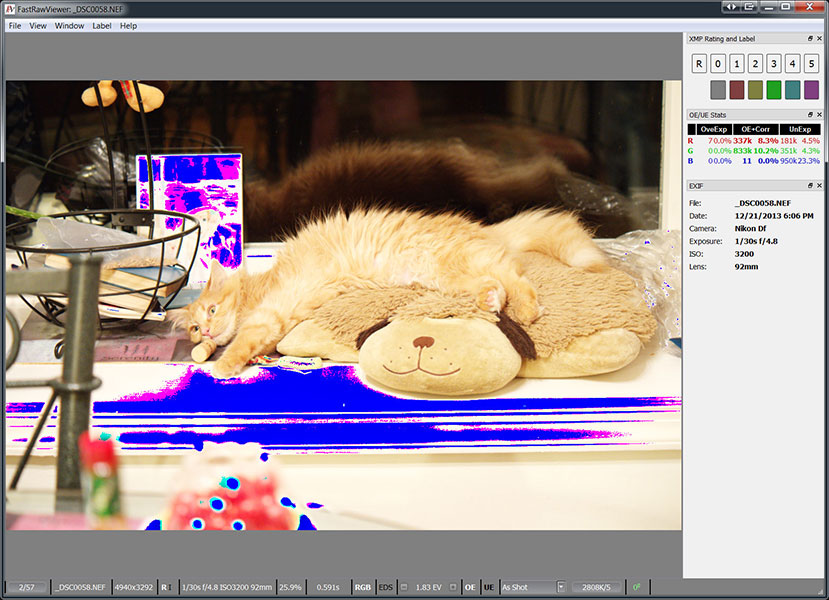
- Spotlighting of over- and underexposed areas on the shot
- Over- and underexposure statistics
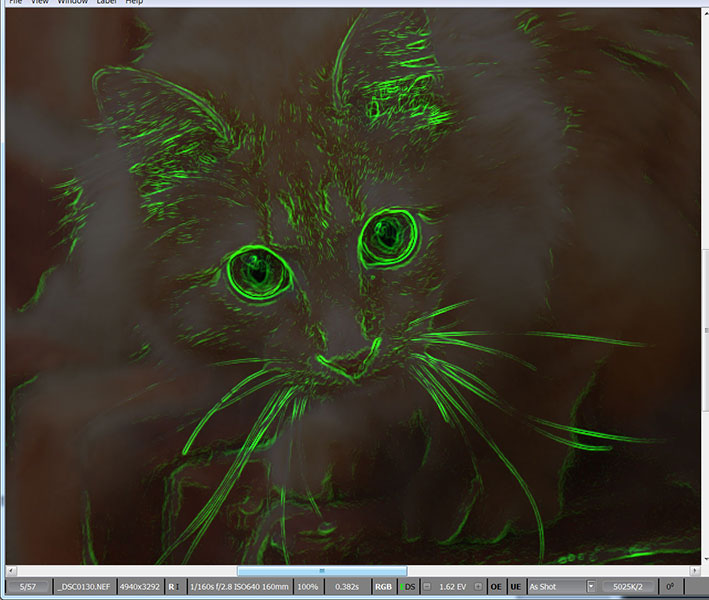
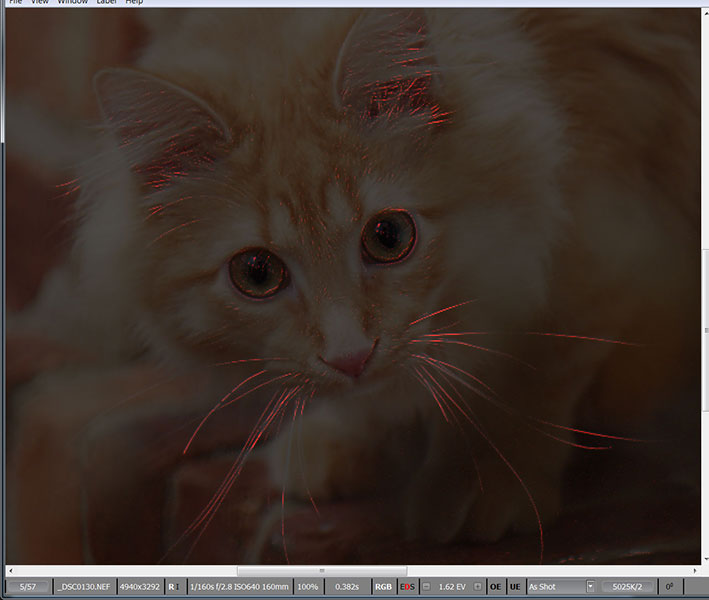
- Outlining the in-focus and highly detailed areas on the shot
- Assessing per-channel exposure and acutance
- Assessing the noise level in the shadows
- Time-saver: exposure and white balance adjustments can be made while browsing RAW files and are saved in XMP files so that they can be automatically applied when you open that shot in Adobe Lightroom or Adobe Camera Raw.
- Time-saver for series, including panoramas: propagation of white balance, exposure, and image orientation adjustments from one shot to the entire series.
- Highly compatible system of assigning labels and ratings to images, including the user-defined labels. Ratings and labels are written into XMP files and are read by Adobe software (and others which acknowledge XMP sidecar files).
- Moving the selected shots into folders chosen by the user.
- Moving the rejected shots into a special folder, which can be viewed again later.
- Support for black and white RAW, including shots from originally color cameras converted to b/w by removing the color filter array.
- Warnings when FRV comes across a damaged RAW file.
- Modifying settings to suite your workflow
- You can set your own keyboard (or keyboard+mouse) shortcuts for every action.
- The settings panel lets you turn off the ones you don’t need, and change the others to your preferences
It’s time to forget about a world without FastRawViewer, and it’s time to stop imagining a world with it. Close the door on hours of wasted time, and dive into the new world of freedom!
Try it, and you will never look back.
[1] With only one significant exception: Foveon cameras are not supported.