
FastRawViewer 2.0.12 Beta
Beginning of Fall Sale!
All LibRaw Products and Bundles - 25% off
Our Special Prices are valid until September 22, 2026.
This is a rolling update with new camera/new raw format support, bugfixes, and some features added.
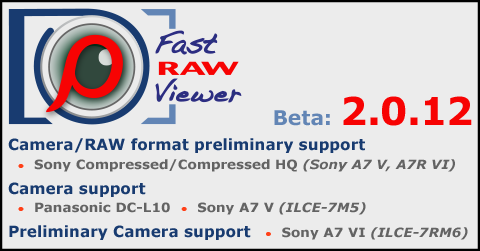
Preliminary Camera/RAW format support
- Sony Compressed/Compressed HQ: Sony A7 V, A7R VI
Camera support
- Leica SL3-P
- OM Digital PEN
- Panasonic DC-L10
- Sony A7 V (ILCE-7M5)
- Canon R6 Mark III: color data updated
Preliminary camera support
- Sony A7R VI (ILCE-7RM6), RX10-V
Improvements/bug fixes
- Improved handling of EXIF blocks embedded into PNG files
- Bug fixed: If the XMP block was written to a JPEG file: re-displaying the same file in single-file view mode displays the cached (not updated) XMP data
- (Windows only): It is possible to set delayed main window update on window resize via MainWindowUpdateDelay hidden settings script.
Use the MainWindowUpdateNormal script to return defaults back.
Download Links
- PC/Windows 7-11/64bit: FastRawViewer-2.0.12.2104-x64-Setup.exe
- macOS 10.13-26.x: FastRawViewer-2.0.12.2104.dmg

Comments
martin868
Tue, 08/25/2026 - 08:39
Permalink
HTP tag in EXIF data
Hi, I use FastRaw viewer to cull my images and I love it. Good app. I have one issue in my workflow that this app could solve easily with a simple addition, so this is a feature request.
In Canon RAW files there is a piece of EXIF data called HTP flat, essentially a flat that defines if the Highlight Tone Priority was enables in camera. It has three values corresponding to OFF, Stantard and Enhenced, It think it is a numerical value, Would be easy to figure out. When this features is enabled in camera, the RAW is underexposed by about one stop, and the camera applied a tone curve onto the JPEG. I think Lightroom recognize this tag and make the correction, but other RAW processors are not, in my case DXO Photolab. So I created a Preset in Photolab that applies an adequate corefction. But I have no way to know what files had HTP enabled, So my request would be twofold.
1. Expose that HTP flag in the EXIF data
2. allow to filter the files based on this flag being set. I would then apply a color to pass that info into Photolab.
Hopefuly this is easy and resonable. Thank you.
lexa
Tue, 08/25/2026 - 12:13
Permalink
The display of metadata in
The display of metadata in the FRV is limited by the Exif 2.3 standard; we do not plan to extend it to undocumented vendor-specific metadata (so-called makernotes).
As for filtering/sorting by metadata (limited to Exif only, as mentioned above) - we are definitely thinking about it, but obviously not for the current major release (FRV 2.x)
--
Alex Tutubalin/FastRawViewer team