
FastRawViewer 2.0.10 Release
Beginning of Fall Sale!
All LibRaw Products and Bundles - 25% off
Our Special Prices are valid until September 20, 2026.
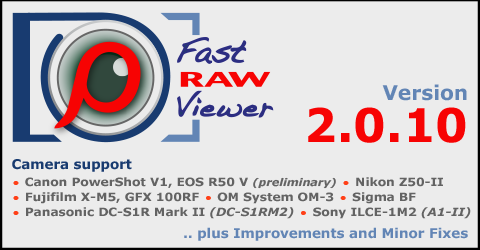
This is a rolling update with new camera/new raw format support, bugfixes, and some features added.
Camera support
- Canon PowerShot V1, EOS R50 V
- Fujifilm X-M5, GFX 100RF
- Nikon Z50-II, Z5-II
- OM System OM-3
- Panasonic DC-S1R Mark II (DC-S1RM2)
- Sigma BF
- Sony ILCE-1M2 (A1-II)
Improvements/bug fixes
- Improved white balance calculation for Sony Small/Medium lossy RAWs
- Improved handling of damaged HEIC files
- macOS Sonoma: improved compatibility
- 'Undelete file(s)' shortcut has been expanded and now works in the _Selected folder as well, doing the same thing (moving files to a folder one level higher).
- New setting: Preferences - Selection - Save full paths to selection filelists.
If checked (default): full paths are saved via Menu - Select - Save selection to file.
If not checked: only filenames are saved. - New setting: Preferences - Selection - Save associated JPEG/HEIC files to filelists.
If checked: for RAW/JPEG or RAW/HEIF associated file pair both filenames are saved via Menu - Select - Save selection to file.
If not checked (default): only RAW filenames are saved. - Workaround for Hasselblad/denoised files with incorrect metadata
- Support for JPEG thumbnails in HEIC files.
To enable use Preferences - File formats - HEIC section - Allow use of JPEG thumbnails in Grid/filmstrip - Support for JPEG-XL embedded images in single image view.
- Improved Canon M6 Mark II color data
- Bug fixed: when selected files go out of visibility when changing rating/label with a rating/label filtering in action, they remained in the selected status.
- Bug fixed: RAW adjustment settings were not enabled after grid to single image switch in some settings combination.

Comments
Mike He (not verified)
Tue, 12/24/2024 - 19:00
Permalink
support for Nikon Z50 II
I installed the version of 2.0.10, but the Viewer still doesn't support Nikon Z50 II yet.
Thanks,
Mike
lexa
Wed, 12/25/2024 - 00:41
Permalink
Please share some sample
Please share some sample (unsupported) files with us. To do so: upload the files to any file sharing service (Dropbox, Google Drive, WeTransfer/free option) and send the link to support@fastrawviewer.com.
FRV 2.0.10 works with Z50_2 samples we have: https://www.dropbox.com/scl/fi/d215jdw4fc13jbrocmjmr/Screenshot-2024-12-...
--
Alex Tutubalin/FastRawViewer team
Hunter (not verified)
Sat, 01/11/2025 - 18:42
Permalink
Olympus - .ORF
Does the fact that olympus isnt listed here mean that the program wont be able to read .orf raw files? or will certain features not work?
lexa
Sun, 01/12/2025 - 01:30
Permalink
Only added (new) cameras are
Only added (new) cameras are listed. Already supported Olympus camera are listed here: https://www.fastrawviewer.com/cameras-supported/Olympus
--
Alex Tutubalin/FastRawViewer team
Michael H. (not verified)
Sun, 07/20/2025 - 14:30
Permalink
Olympus/OM System (ORF) raw file support
I've been using FastRawViewer for a few years and I am using Olympus and OM System cameras. Their file format is supported.
Drollix (not verified)
Sun, 09/21/2025 - 07:57
Permalink
Olympus -.ORF
It reads Olympus as well as OM-System raw files. Have an OM1 Mk1, the Fast Raw Viewer reads the files without any problems.
Ronnie Eriksson (not verified)
Sun, 01/19/2025 - 05:23
Permalink
Nikon Z50 II HE, HEstar
My installation (using file "FastRawViewer-2.0.10.2045-x64-Setup.exe") does still not support Nikon Z50II HE & HEstar formats. You can upload example files (including one lossless compressed for comparison) using this link:
To Fastrawviewer
Best regards,
Ronnie
lexa
Sun, 01/19/2025 - 05:40
Permalink
Thank you for the file
Thank you for the file samples. We'll reply here when we'll have an updated version
--
Alex Tutubalin/FastRawViewer team
lexa
Sun, 01/19/2025 - 05:58
Permalink
We managed to fix the issue.
We managed to fix the issue. Please use 2.0.10-2046 from this page (download links has been updated)
--
Alex Tutubalin/FastRawViewer team
Ronnie Eriksson (not verified)
Sun, 01/19/2025 - 12:19
Permalink
Thanks!
Oh wow, that was quick! Many thanks, I tested and now it works perfect! I have seldom (never?) experienced such great support.
//Ronnie
lexa
Sun, 01/19/2025 - 12:38
Permalink
Thank you for confirming that
Thank you for confirming that issue has been resolved.
Feel free to contact us with any questions, suggestions, or problem reports related to our software.
--
Alex Tutubalin/FastRawViewer team
Annette (not verified)
Sat, 07/12/2025 - 22:35
Permalink
Missing my camera support
I have a Canon R8 mirrorless camera and I use it with the RF24-50mm F4.5-6.3 IS STM lens. This Fast Raw viewer edition still does not autocorrect the images taken with this lens and I need to use Adobe Lightroom to analyze those pictures taken with that lens. Please add that camera and lens to your next version update.
Thanks!
lexa
Sun, 07/13/2025 - 00:20
Permalink
FastRawViewer never corrects
FastRawViewer never corrects RAW for distorsion/whatever. Switch to Jpeg view (J hotkey) to see image autocorrected in camera
--
Alex Tutubalin/FastRawViewer team
Siam (not verified)
Sun, 07/13/2025 - 18:06
Permalink
Screen resets before registering selects
When making selects, part way through the process the screen resets and all of my selects disappear, making me start the process all over again.
lexa
Mon, 07/14/2025 - 04:43
Permalink
What selection mode are you
What selection mode are you using: advanced (default) or standard?
--
Alex Tutubalin/FastRawViewer team