FastRawViewer: questions, suggestions, feature requests.
Submitted by alexchicheng on Tue, 12/26/2023 - 23:18
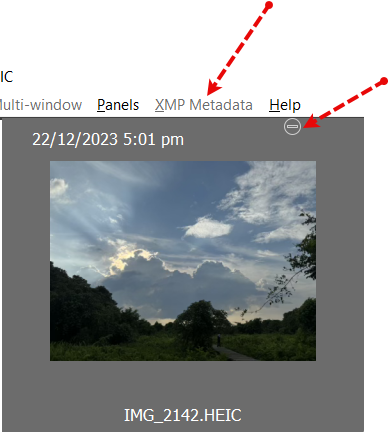
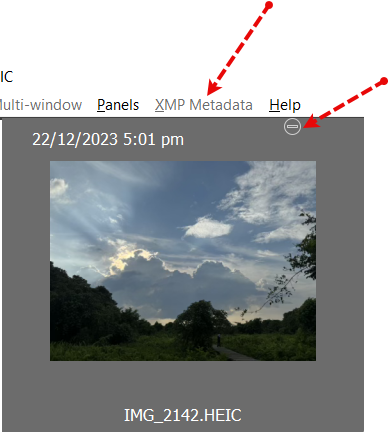
As a part of my workflow, I use this software to rate photos in order to identify the top selections.
Considering the new Apple photo format, HEIC, would it be any plan to incorporate a feature that allows for photo rating?
Submitted by sandromar.kich@... on Thu, 12/21/2023 - 16:49
Hello! How to view all images that are in subfolders by selecting the top folder?
Submitted by Paulx on Tue, 12/19/2023 - 11:43
Hello, I have purchased a license for this fast program and I have a question, how to change permanently so that the photo preview is embedded and not RAW ?
The second question is why I don't have video file preview, is it a big problem ?
Submitted by dnlyko on Fri, 12/15/2023 - 18:42
Trial user. All my keepers have a xmp sidecar but not being read by FastRaw. eg. a file named: DSC_0025.NEF has a XMP file named DSC_0025.NEF.XMP. Is there a setting so that FastRawViewer will be able to correctly associate the XMP. I want to sort/filter by star and or color rating
Submitted by rb_stern on Sat, 12/09/2023 - 14:12
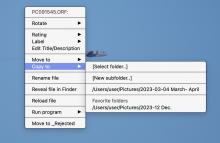
When I hover over Copy to, in the single image option, a box comes up with the options of Select folder, New sub-folder, the one one I have designated as Favotite folder, and another one from earlier in the year, which I no longer use. How can I remove this last one from the list without deleting that foldr from my hard drive. (The one referring to March-April in the attached image). Thanks.
Submitted by Heran on Tue, 11/07/2023 - 05:24
Hello I love the power and compact size of my Ipad pro 4th gen over my laptop when I go to do shoots. I says on your website that Ipad Pro is supported, how do I get fastraw viewer onto my Ipad pro?
Submitted by Tobbi on Sat, 10/28/2023 - 10:48
Hi,
I would be very happy if you could mark a picture and this mark remains only in FRW.
When I want to sort out my images, it is very time consuming as a wildlife photographer. Not infrequently I have more than 1000 images that just have to be sorted out. It is often the case that I divide this activity over several days. It would be easy with such a feature to continue culling where you left off before.
Submitted by deejjjaaaa on Sun, 10/15/2023 - 10:30
any chance to add AVIF viewing ?
Submitted by giskard on Mon, 10/09/2023 - 12:10
I love FastRAWViewer but one feature I'd love to see is something like an image "navigator" with 100% preview when dragging around within the thumbnail. Something similar to the image navigator in Photoshop and other tools where you can drag a fixed size reactangle inside the image thumbnail and have a 100% view of the image. PhotoMechanic has exactly this function - dragging the mouse cursor within the thumbnail displays a draggable fixed-size rectangle within said thumbnail, with a 100% preview of the area of the photo in the rectangle being displayed to the side of or below the thumbna
Submitted by Jason29 on Sun, 10/08/2023 - 15:01
Good afternoon. Is it possible with FastRawViewer to pick the images you want to use and then covert them into DNG format? If so, how does one do so? Thank you for your help!
Pages