FastRawViewer 2.0 adds the following features (each described in more detail in corresponding sections):
Multi-window Display Mode with synchronous zoom, pan, focus peaking, over/underexposure highlighting, and the ability to copy the rendering parameters of RAW files
Renaming files: either single files or groups, with optional use of templates.
Improved performance, especially when using fast and slow data media at the same time.
This is quick fix release that fixes two annoying bugs:
On macOS 10.12+ keyboard shortcuts may stop working after batch operation of moderate length (more than 5 files, but less than one second)
On Windows: FastRawViewer may crash while trying to open file that could not be opened (e.g. prohibited by permissions settings, or locked by another program).
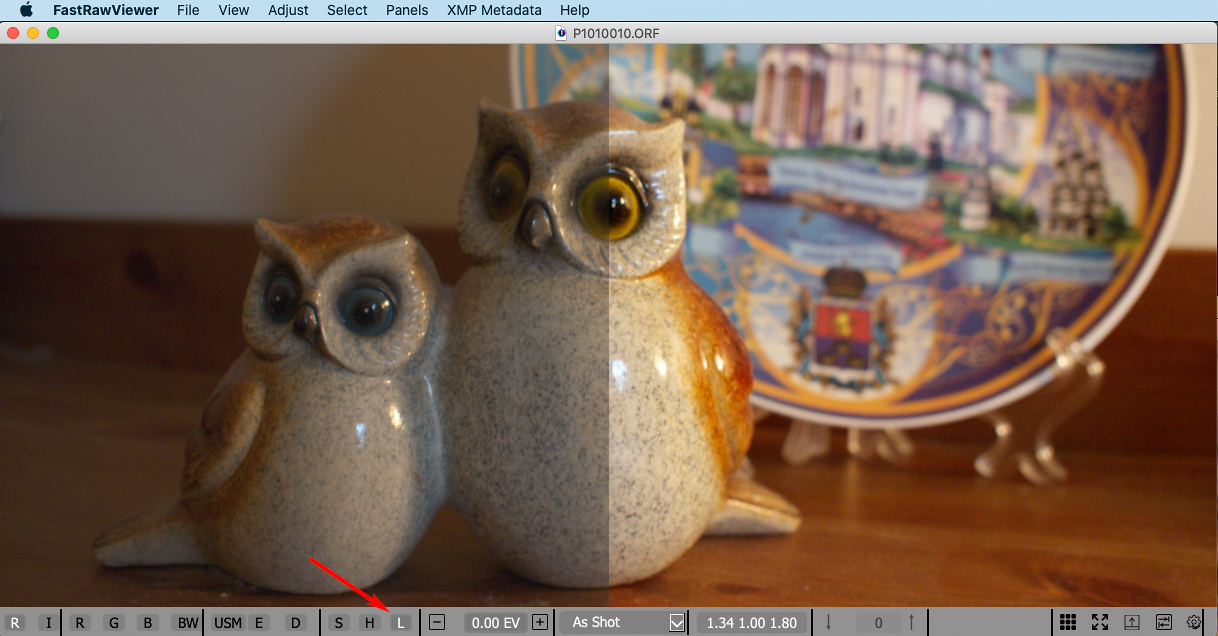
By default when displaying RAW FastRawViewer applies S-shaped tone curve and Adobe compatible' midtone correction.
With these (default) settings, the RAW display becomes more or less "as expected", correlating to the embedded JPEG and standard Adobe rendition (with all sliders in default positions) in both contrast and brightness.
In FastRawViewer 1.7 we've implemented a quick way to turn of both of these settings and switch between a flat, non-contrasty look, which corresponds to what the camera records into the RAW much more accurately, and a regular view.
In this version of DPRSplit we've added initial support for Canon EOS R5 camera:
tested only on very limited samples set
EXIF/Makernotes data records are not stored into output DNGs (metadata format is very different in CR3 files, so not directly mappable into DNG files).